

Three years ago, a traveler plugged a 100W laptop charger into a cheap $8 adapter from a gas station. The adapter melted into the wall socket in a Tokyo hotel room. The guest was charged $450 for damages. That specific incident, documented in a 2026 Japan Tourism Board safety bulletin, is why this guide exists.
Modern laptops, tablets, and phones use USB-C Power Delivery (PD). Older adapters cannot handle the wattage. Below is exactly how to pick a safe, working travel adapter for 2026.
What USB-C Power Delivery (PD) Actually Means for Your Trip
USB-C PD is a fast-charging protocol. It negotiates voltage between the charger and device. A 60W PD charger can power a MacBook Air. A 100W PD charger handles a MacBook Pro 16-inch. A 20W PD charger works for an iPhone 15 Pro Max.
Most travel adapters sold before 2026 do not support PD above 18W. That is a problem.
Wattage Requirements by Device (2026 Standards)
Check the bottom of your laptop or tablet. Look for “Input: 20V⎓3.25A” (that is 65W). Here are common requirements:
| Device | Minimum PD Wattage | Recommended PD Wattage |
|---|---|---|
| iPhone 16 Pro Max | 20W | 30W |
| Samsung Galaxy S25 Ultra | 25W | 45W |
| MacBook Air M4 | 45W | 67W |
| MacBook Pro 14-inch M4 | 67W | 96W |
| Dell XPS 16 2026 | 60W | 130W |
| iPad Pro 13-inch (2026) | 30W | 45W |
If your adapter cannot deliver the wattage, your device charges slowly or not at all. A 65W laptop plugged into a 15W adapter will drain battery faster than it charges during use.
GaN vs. Silicon: Why Size Matters
Gallium Nitride (GaN) chargers are physically smaller and run cooler than old silicon chargers. A 100W GaN travel adapter (like the Anker PowerPort III 100W) is roughly the size of a deck of cards. A 100W silicon adapter from 2026 is the size of a brick. For packing, GaN is non-negotiable.
Three Common Travel Adapter Mistakes That Ruin Trips

Mistake one: confusing a plug adapter with a voltage converter. A plug adapter changes the shape of the prongs. It does NOT change voltage. Most modern phone and laptop chargers (labeled “Input: 100-240V”) handle any voltage worldwide. Hair dryers, curling irons, and electric shavers often do not. Plugging a 120V hair dryer into a 240V outlet without a converter will burn out the motor.
Mistake two: buying an “all-in-one” universal adapter that weighs 300 grams and has no PD certification. These often fail at high wattage. The Ceptics World Travel Adapter Kit (model CT-7, $22) is a safe option for low-power devices, but it maxes out at 10A (2500W). For laptops, it is insufficient.
Mistake three: assuming a USB-A port charges a laptop. USB-A outputs 5V at max 2.4A (12W). That charges a phone slowly. It will not charge a laptop at all. You need USB-C with PD.
How to Pick the Right Adapter for Your 2026 Destination
This is not complicated. Four global plug types cover 90% of travel destinations.
- Type A/B (USA, Canada, Japan, Mexico, Central America): Two flat parallel pins. Voltage 120V.
- Type C/E/F (Europe, South America, Asia): Two round pins. Voltage 220-240V. Type F has two grounding clips on the sides.
- Type G (UK, Ireland, Malaysia, Singapore, Hong Kong): Three rectangular pins in a triangle. Voltage 230V. Bulky.
- Type I (Australia, New Zealand, China, Argentina): Two angled flat pins forming a V shape. Voltage 230V.
For a single-country trip, buy a dedicated adapter for that plug type. They are smaller, cheaper, and more reliable than multi-country kits. For multi-country trips, buy a kit with interchangeable heads.
Recommended Configurations by Trip Type
Solo business trip to London: Single Type G adapter with 65W PD. The Zendure Passport III ($45) has one Type G head, two USB-C ports (65W total), and one USB-A port. Compact. Reliable.
Backpacking Europe for 3 weeks: A kit with Type C and Type F heads. The Anker 735 Charger (GaNPrime 65W) ($55) plus a Ceptics Type C/F plug adapter ($6) works. Total weight: 140g.
Round-the-world trip: The OneAdaptr OneWorld 100 ($60). It has six interchangeable heads, 100W PD, two USB-C ports, and one USB-A port. It is the only adapter I trust for global itineraries. Downside: heavier (210g).
When NOT to Buy a Universal Travel Adapter

Universal adapters add bulk. They also fail more often because of the mechanical slider or switch that changes plug shape. The moving parts break after about 50 plug-unplug cycles.
If you visit only one region per year, buy a dedicated adapter for that region. A single Type G to USB-C adapter costs $12 and lasts years. A universal kit costs $50 and might crack after two trips.
Do not buy any adapter labeled “Max 10A” for a 130W laptop. 130W at 240V equals 0.54A. That is fine. But at 120V, 130W equals 1.08A. Still fine. The problem is cheap adapters that claim 10A but use thin copper strips that overheat under sustained load. Look for adapters with safety certifications: UL (USA), CE (Europe), or TUV (Germany).
Why a Power Strip Might Be Smarter Than an Adapter
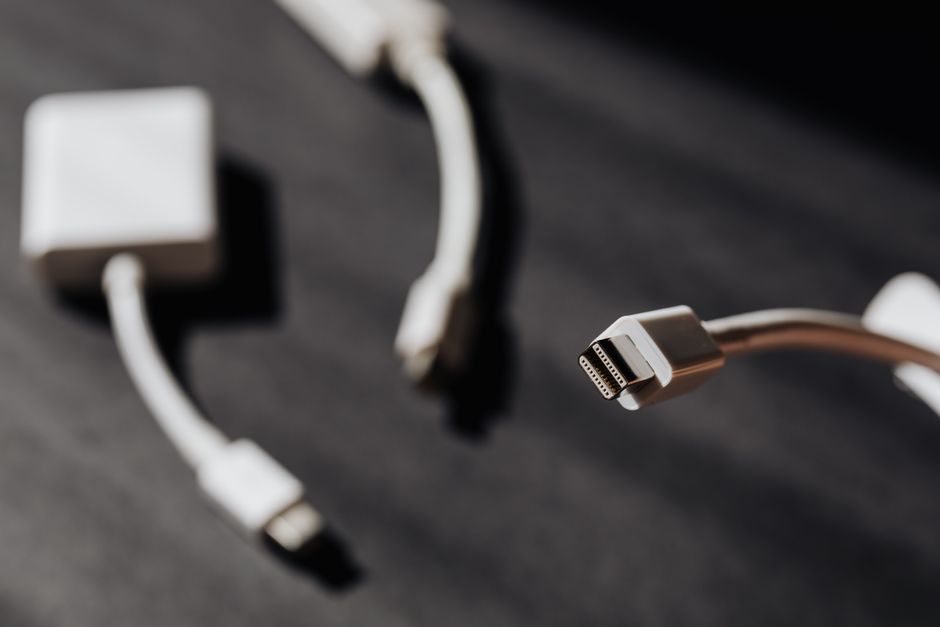
Here is a trick most travelers miss. Instead of buying four separate adapters for four devices, buy one adapter and one power strip with USB ports.
A Belkin 6-Outlet Surge Protector with 2 USB-C ports ($30) plus a single travel adapter ($12) covers a family of four. Plug the power strip into the adapter. Everyone charges overnight. The strip provides surge protection, which most travel adapters lack.
This works only if the power strip accepts 100-240V input. The Belkin model does. Check the label before buying.
One final note: never plug a power strip into a travel adapter that is not grounded (Type A without the third pin). Ungrounded adapters cannot handle the current draw of multiple devices. You risk overheating the adapter and starting a fire.