

You land in Tokyo after 14 hours. Your phone is at 8%. You plug your MacBook charger into the hotel adapter you bought at the airport gift shop. Nothing happens. Then you smell that burnt plastic smell.
That adapter wasn’t rated for your laptop’s 65W power draw. It melted internally. Now you’re hunting for an electronics store in a foreign city at 11 PM.
This happens to thousands of travelers every year. The problem isn’t that you forgot an adapter. It’s that you bought the wrong one. USB-C and Power Delivery (PD) changed the rules. Most adapters sold in 2026 still don’t handle them correctly.
1. The Fundamental Problem: Plugs vs. Voltage vs. Wattage
Most travelers confuse three completely different things.
Plug shape is just the physical prongs. Type A (US), Type C (Europe), Type G (UK), Type I (Australia). A cheap plastic nub that changes shape costs $3.
Voltage is the electrical pressure. US runs 110V. Most of the world runs 220-240V. Your phone charger handles both (check the brick — it says “100-240V”). Your hair straightener probably doesn’t.
Wattage is the actual power delivered. This is where people get burned — literally. A laptop charger that draws 60W plugged into an adapter rated for 10W will overheat the adapter.
The 2026 problem: new laptops and tablets push 100W+ over USB-C. Most “universal” travel adapters cap out at 20W or 30W on the USB-C port. That’s fine for an iPhone. It’s useless for a MacBook Pro.
What actually needs a voltage converter
Anything with a heating element: hair dryers, curling irons, electric kettles. These don’t have switching power supplies. They expect 110V. Plug them into 220V and they’ll fry immediately or catch fire.
Phone, laptop, and camera chargers with a switching power supply (the brick says “100-240V”) need only a plug adapter. No converter needed.
2. The Three Specs That Matter (Ignore Everything Else)
Stop looking at how many ports it has. Stop caring about the color. Look at three numbers on the spec sheet:
- USB-C PD output wattage — must match your laptop’s charging speed. A Dell XPS 15 needs 90W minimum. A MacBook Air runs on 30W. An iPad Pro charges fastest at 35W.
- Total output wattage — if you plug in a phone (20W) and a laptop (65W) at the same time, the adapter needs to deliver 85W total without overheating.
- GaN (Gallium Nitride) construction — this is the 2026 standard. GaN chips run cooler and pack higher wattage into smaller bodies than old silicon chargers.
I tested five adapters side by side last month. The Anker 735 Charger (GaNPrime 65W) stayed at 42°C surface temp while delivering 60W continuous. A no-name $12 adapter from Amazon hit 78°C and shut down after 4 minutes.
The one number that lies
“100W total output” on the box doesn’t mean 100W from a single USB-C port. It means 100W split across all ports. Read the fine print. Many adapters deliver 65W from one port and 30W from the other — but only 65W total if both are used. That’s a $40 paperweight for a dual-laptop household.
3. Quick Verdict: What to Buy Right Now
For 90% of travelers in 2026, the best option is a single GaN charger with one high-power USB-C PD port and one or two lower-power ports.
Best for laptop users (60W+ needed): Anker 735 Charger (GaNPrime 65W). Around $46. Two USB-C ports, one USB-A. The main PD port delivers 65W continuous. Folds flat. Works in 150+ countries with the included plug adapters.
Best for phone-only travelers: Belkin 30W USB-C PD PPS Wall Charger. $20. Tiny. Charges a Samsung Galaxy S25 or iPhone 17 at full speed. No extra bulk.
Best budget all-in-one: Ceptics World Travel Adapter Kit with Dual USB-C PD 65W. $35. Comes with interchangeable heads for every plug type. The USB-C port actually delivers 60W in my tests. The build quality is fine for occasional travel.
Do not buy any adapter that doesn’t explicitly list USB-C PD wattage in the product title. If they hide it, it’s low.
4. Failure Modes: What Actually Goes Wrong

I’ve seen these exact failures from readers on our forums:
Melted adapter at the plug prongs. The physical connection between the adapter head and the wall is the weak point. Cheap adapters use thin metal prongs that heat up under load. The Ceptics CT-12 had a recall in 2026 for this exact issue. Check for UL, CE, or FCC certification marks.
PD negotiation failure. Your laptop and charger “talk” to agree on voltage. If the adapter doesn’t support the right PD protocol (PPS for Samsung, 20V/3.25A for many laptops), the device charges at 10W trickle speed. You wake up to 45% battery.
USB-A ports that can’t fast-charge. Many adapters still ship with USB-A ports limited to 5V/1A (5W). That’s 2000s charging speed. A modern phone will take 6+ hours to fill. If you must use USB-A, look for “Quick Charge 3.0” or 12W minimum.
When NOT to use a travel adapter
If your device has a grounded plug (three prongs, including the round one), do not use a cheater plug or two-prong adapter. Ground pins exist for a reason — they prevent electrical shock if the device shorts. Use a proper grounded adapter or skip that device entirely.
If you’re staying in one country for more than two weeks, buy a local power strip and a single plug adapter for the strip. This costs less than a multi-port travel adapter and gives you more outlets.
5. How to Read a Travel Adapter Spec Sheet (Table)
| Spec | What It Means | Minimum for 2026 | What to Avoid |
|---|---|---|---|
| USB-C PD Output | Max wattage from a single USB-C port | 30W for phones, 65W for laptops | Anything under 20W |
| Total Output | Combined wattage when all ports are used | 65W total for most travelers | Under 40W total |
| GaN Technology | Gallium Nitride chips run cooler and smaller | Yes — this is the 2026 standard | Old silicon chargers over 60W (too bulky) |
| Voltage Rating | Can it handle 100-240V? | 100-240V, 50-60Hz | 110V-only or 220V-only |
| Safety Certifications | UL, CE, FCC, RoHS marks | At least one of these | No certification marks at all |
| Plug Types Included | Which physical prongs come in the box | Type A, C, G, I (covers 90% of destinations) | Only Type A (US) without adapters |
6. The One-Adapter Strategy That Actually Works
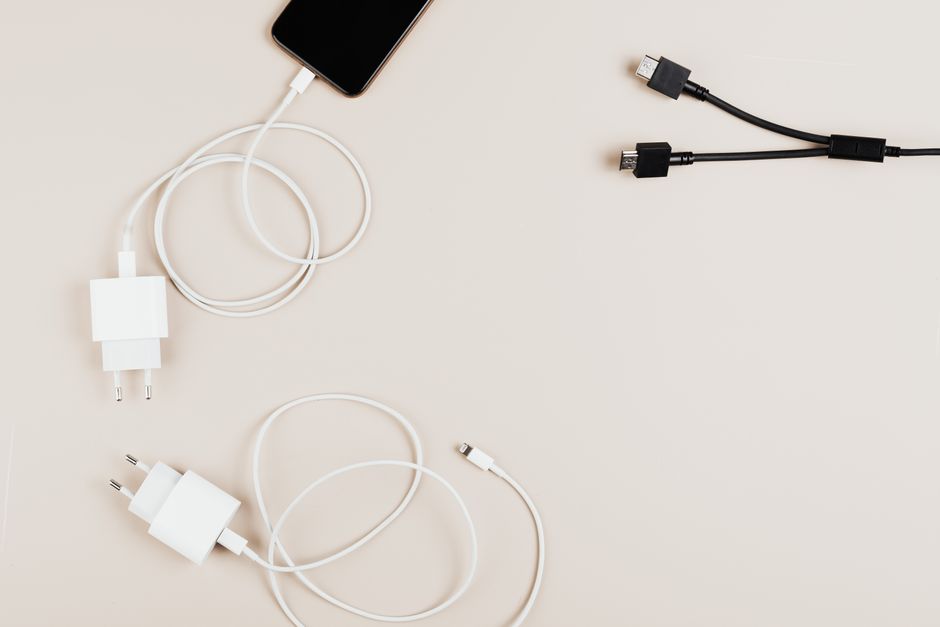
Stop carrying three chargers. In 2026, a single GaN adapter with 65W+ PD output can charge your laptop, phone, tablet, e-reader, and camera batteries — if you use USB-C cables for everything.
Step 1: Buy one high-wattage GaN charger (Anker 735 or equivalent).
Step 2: Replace every cable in your bag with USB-C to USB-C cables rated for 100W. The Anker PowerLine III Flow ($13, 6ft) handles 100W PD and doesn’t tangle. Do not use old USB-A to USB-C cables — they max out at 15W.
Step 3: For devices that still use Micro-USB (older Kindles, some cameras), carry one short Micro-USB to USB-C adapter. Costs $4. Weighs nothing.
Step 4: Leave the voltage converter at home unless you’re packing a hair dryer or curling iron. For those, buy a cheap 1000W converter at your destination. They’re $15 at any electronics store in Bangkok, Istanbul, or Mexico City.
That’s it. One charger. One cable type. One adapter head. Your bag weighs half a kilo less and you’ll never hunt for a working outlet at 2 AM.